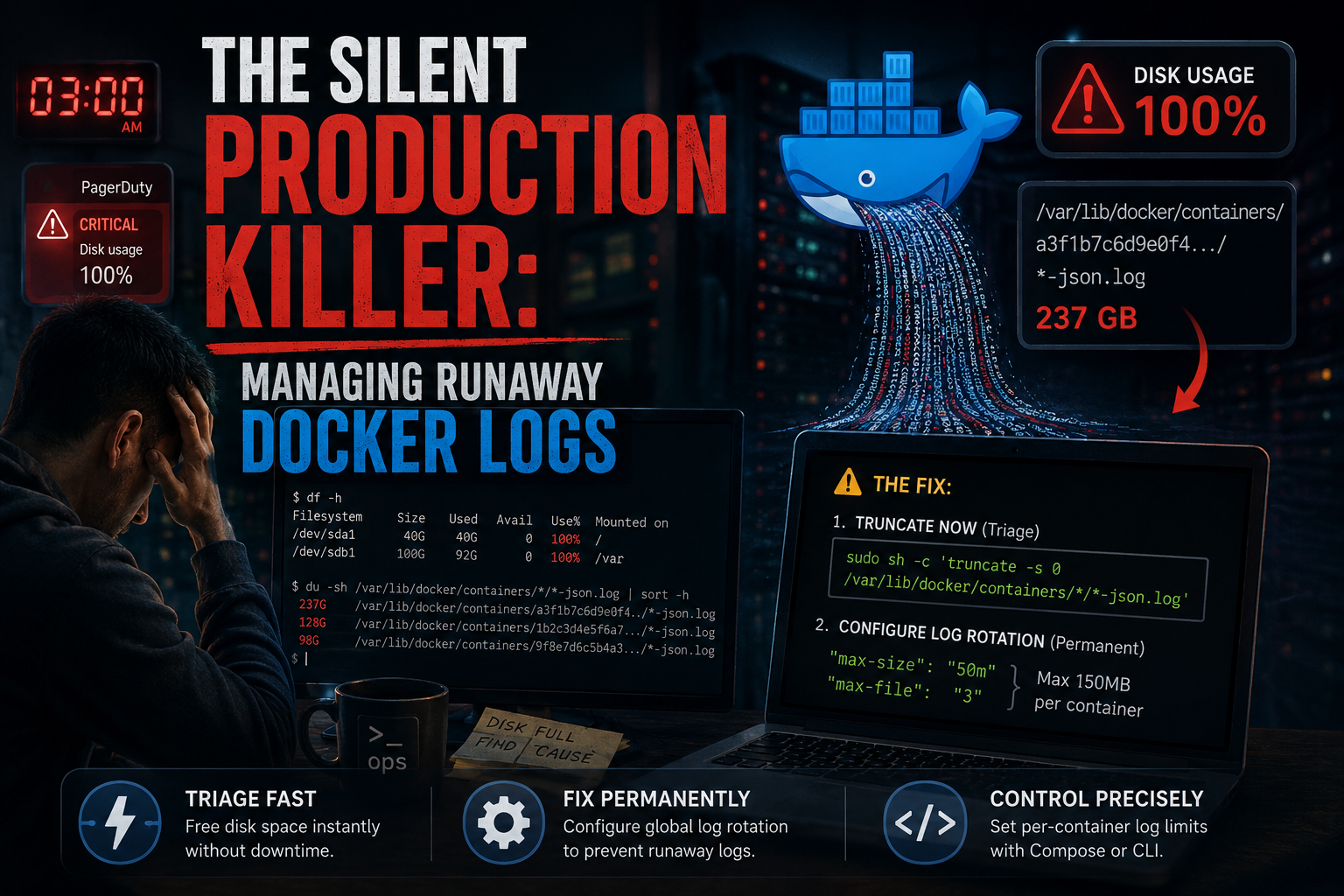
Silent Production Killer: Managing Runaway Docker Logs
Sophoun
31-Jul-2026
It’s 3 AM. Your phone is screaming. PagerDuty is yelling about a critical production server hitting 100% disk utilization.
You SSH in, run a quick df -h, and confirm the worst: / or /var is completely packed. But when you check standard system locations like /var/log or systemd's journal, nothing looks out of the ordinary.
Then you run a deeper scan and find the real culprit: hundreds of gigabytes sitting inside a cryptic path like /var/lib/docker/containers/
The Root Problem: Docker Has No Chill By Default
When you run a container, Docker automatically hooks into everything it prints to standard output (stdout) and standard error (stderr). It captures these streams and writes them into local JSON files on the host disk so you can view them later via docker logs. The trap? Docker's default logging driver (json-file) has absolutely no upper limit on file size. If you have a chatty application, an unhandled loop spitting out stack traces, or a debug mode accidentally left active in production, that JSON file will grow infinitely until your host operating system literally runs out of room to breathe
1. The Immediate Triage: Cleaning Live Logs Safely
When a production disk is pinned at 100%, you need bytes back now. Your first instinct might be to just hunt down those massive *-json.log files and blast them out of existence with an rm command. Do not do this. If you delete an active log file while its container is still running, Linux won't actually free the disk space. The container's process holds onto that file handle in memory. Docker will keep writing into an invisible, unlinked void, and your disk will stay at 100% until you completely restart the container or the daemon. Instead, you need to truncate the file. This forcefully wipes the contents and shrinks the file size to exactly 0 bytes instantly, without breaking the container's file handle:
shsudo sh -c 'truncate -s 0 /var/lib/docker/containers/*/*-json.log'
Note: Yes, this clears the history of your current logs for those active containers. But in an emergency, saving your production uptime takes priority over yesterday's stdout
2. The Permanent Solution: Global Log Rotation
Fixing this by manually running a truncate script on a cron job is a hack. We want a declarative, "set-it-and-forget-it" engineering solution. We achieve this by forcing the Docker daemon to automatically rotate logs globally. You need to edit (or create) Docker's primary engine configuration file at /etc/docker/daemon.json. Open the file up:
shsudo nano /etc/docker/daemon.json
If your file is currently blank, paste this production-ready configuration. If you already have existing parameters in there (like insecure-registries), make sure you merge them cleanly using valid JSON syntax and separating the blocks with a comma:
json{
  "log-driver": "json-file",
  "log-opts": {
    "max-size": "50m",
    "max-file": "3"
  }
}
Breaking down the config
- "max-size": "50m": The moment a container's log file hits 50 Megabytes, Docker rolls it over and spins up a brand new one.
- "max-file": "3": Docker will keep a maximum of 3 archived files per container. When file #4 is born, file #1 gets purged.
With this set, a single container is mathematically capped at a maximum of 150MB of log data. Multiply that by your total container count, and you can easily predict and allocate your host storage footprint. To make the Docker engine read these new rules, bounce the service:
shsudo systemctl restart docker
⚠️ The Catch You Need to Watch Out For
Restarting the daemon only applies these new limits to newly created containers. Existing containers that are already running will keep using their old, infinite logging strategy. To force your current stack to inherit the new configuration, you have to recreate them. If you're running Docker Compose, a quick cycling of the stack will do the trick:
shdocker compose down && docker compose up -d
3. Alternative: Handling Specific High-Traffic Workloads
Sometimes you don't want a blanket global policy. Maybe you have a centralized logging agent where you want a higher ceiling, but you want to throttle a particularly noisy worker container. If you are using Docker Compose, you can skip the global daemon file entirely and hardcode the constraint straight into your infrastructure-as-code:
yamlversion: '3.8'services:
  noisy-worker:
    image: redis:alpine
    logging:
      driver: "json-file"
      options:
        max-size: "50m"
        max-file: "3"
Or, if you are spinning up quick ad-hoc instances via the command line, pass the flags explicitly at runtime:
shdocker run -d \
  --log-driver json-file \
  --log-opt max-size=50m \
  --log-opt max-file=3 \
  my-noisy-app:latest
Wrapping Up
Treating disk space as an infinite resource is one of those classic architectural blind spots. Adding log rotation to your base server provisioning scripts or Ansible playbooks ensures you don't get bit by this down the road. Go configure your limits today—before an unexpected app loop does it for you.